Export Evernote to Markdown Files on Your Local Disk (Step-by-Step)
Stop renting access to your own notes. Export your entire Evernote library to clean Markdown files on your local disk automatically — and own your knowledge forever.
On this page
Export Evernote to Markdown Files on Your Local Disk (Step-by-Step)
Your notes are years of thinking, research, meeting decisions, and ideas you can’t afford to lose. Yet right now, they’re locked inside Evernote — behind a subscription, a proprietary format, and a sync engine you don’t control.
What if you could move every note onto your own hard drive, as clean Markdown files, automatically?
That’s exactly what NoteMigrator does. No cloud upload. No copy-paste. No “export to ENEX and figure it out later.” Just your notes, on your disk, in a format that will outlive every app you’ve ever used.
Why export to Markdown on your local disk?
Three reasons — and any one of them is enough.
1. You actually own your notes
Files on your disk don’t require a login. They don’t expire when a subscription lapses. They don’t disappear when a company pivots. A folder of .md files is yours forever.
2. Markdown is the universal note format
Open the same files in Obsidian, Logseq, Joplin, VS Code, Typora, iA Writer, or just plain Notepad. No vendor can lock you in again. Switch tools whenever you want — your notes come with you.
3. Local = private, fast, and backup-friendly
Private: nothing leaves your machine during export.
Fast: search across thousands of notes instantly with Spotlight, Everything, or grep.
Backup-friendly: drag the folder to Time Machine, iCloud, Dropbox, a USB stick, or a Git repo. Done.
What you keep when you export with NoteMigrator
A lot of “Evernote to Markdown” solutions give you a pile of half-broken text files. NoteMigrator preserves what actually matters:
What gets preserved
Why it matters
Notebook structure
Your folders look familiar on day one
Tags
Topic-based organization carries over
Attachments & images
Saved alongside the note, links rewritten correctly
Note titles & dates
History stays intact for chronological work
Formatting
Headings, lists, links, code blocks — all clean Markdown
You don’t spend a weekend cleaning up junk. You open Obsidian (or any Markdown app), point it at the folder, and keep working.
Step-by-Step Export Guide
Here is the exact process to convert your Evernote notebooks to local Markdown files using NoteMigrator:
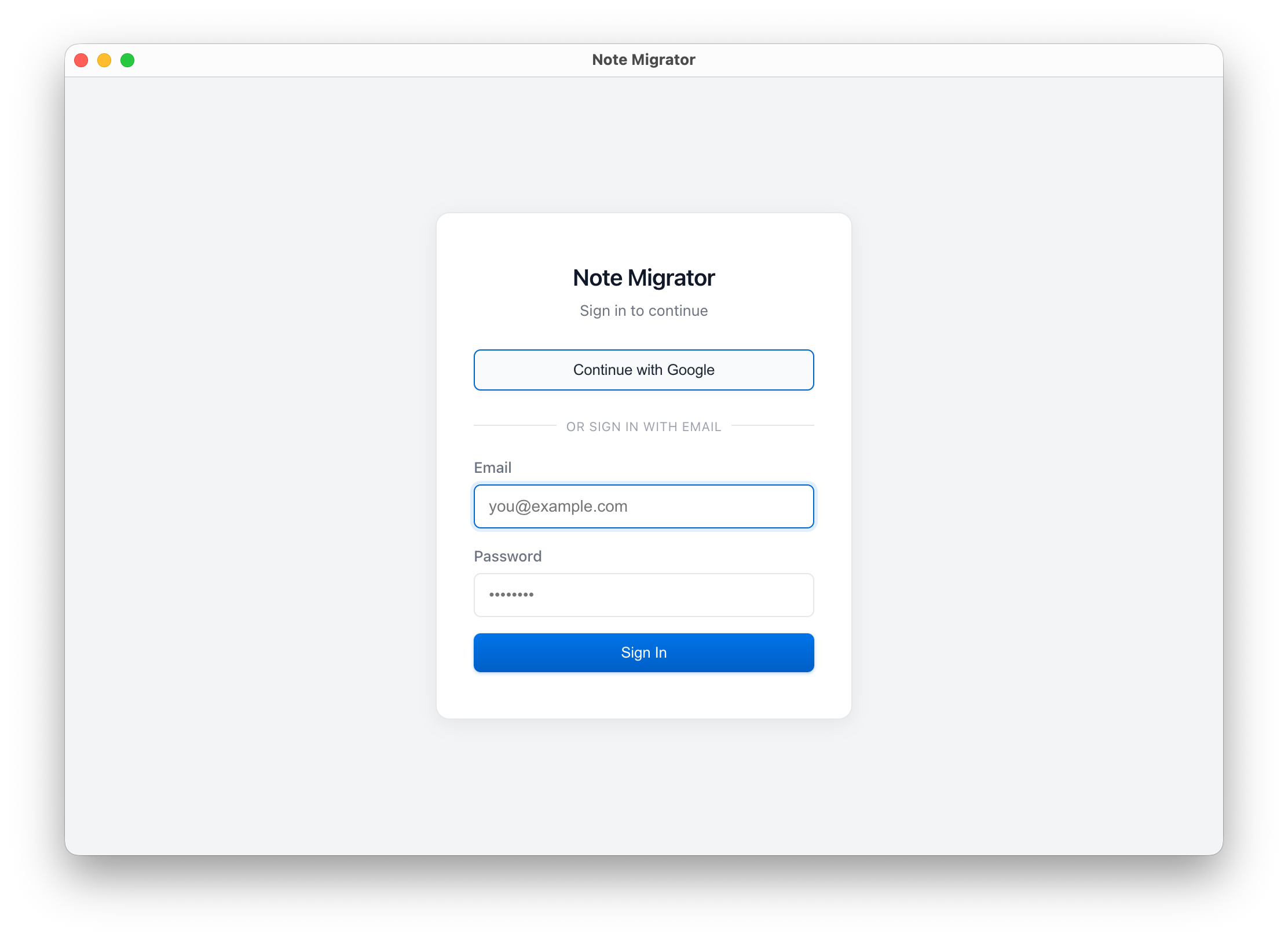
1. Log in to NoteMigrator
Start by logging in to your NoteMigrator account.
Log in to NoteMigrator
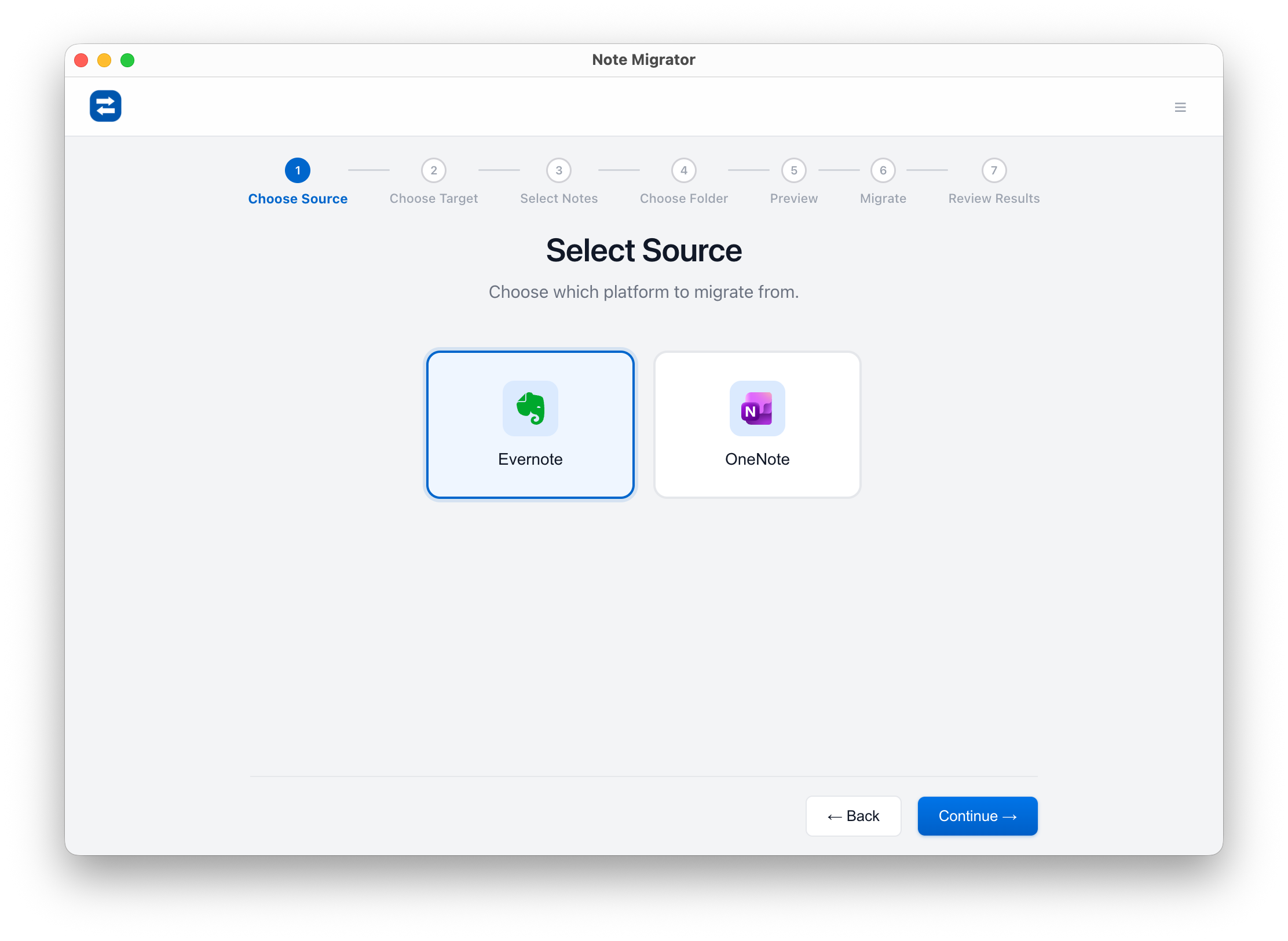
2. Select Evernote as Source
Choose Evernote as your migration source.
Select Evernote source
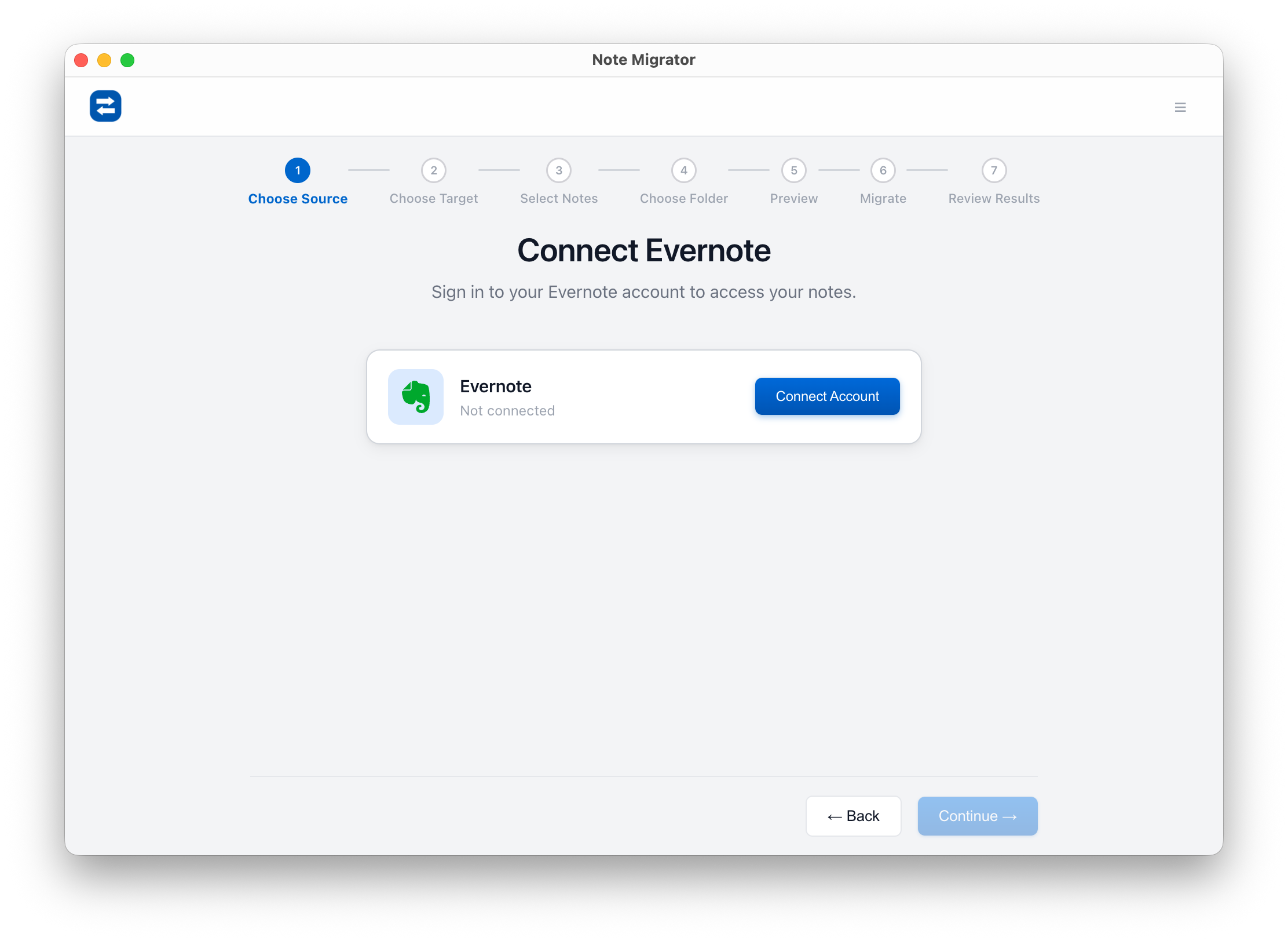
3. Connect Evernote Account
Connect to your Evernote account securely to authorize access to your notebooks.
Connect Evernote Account
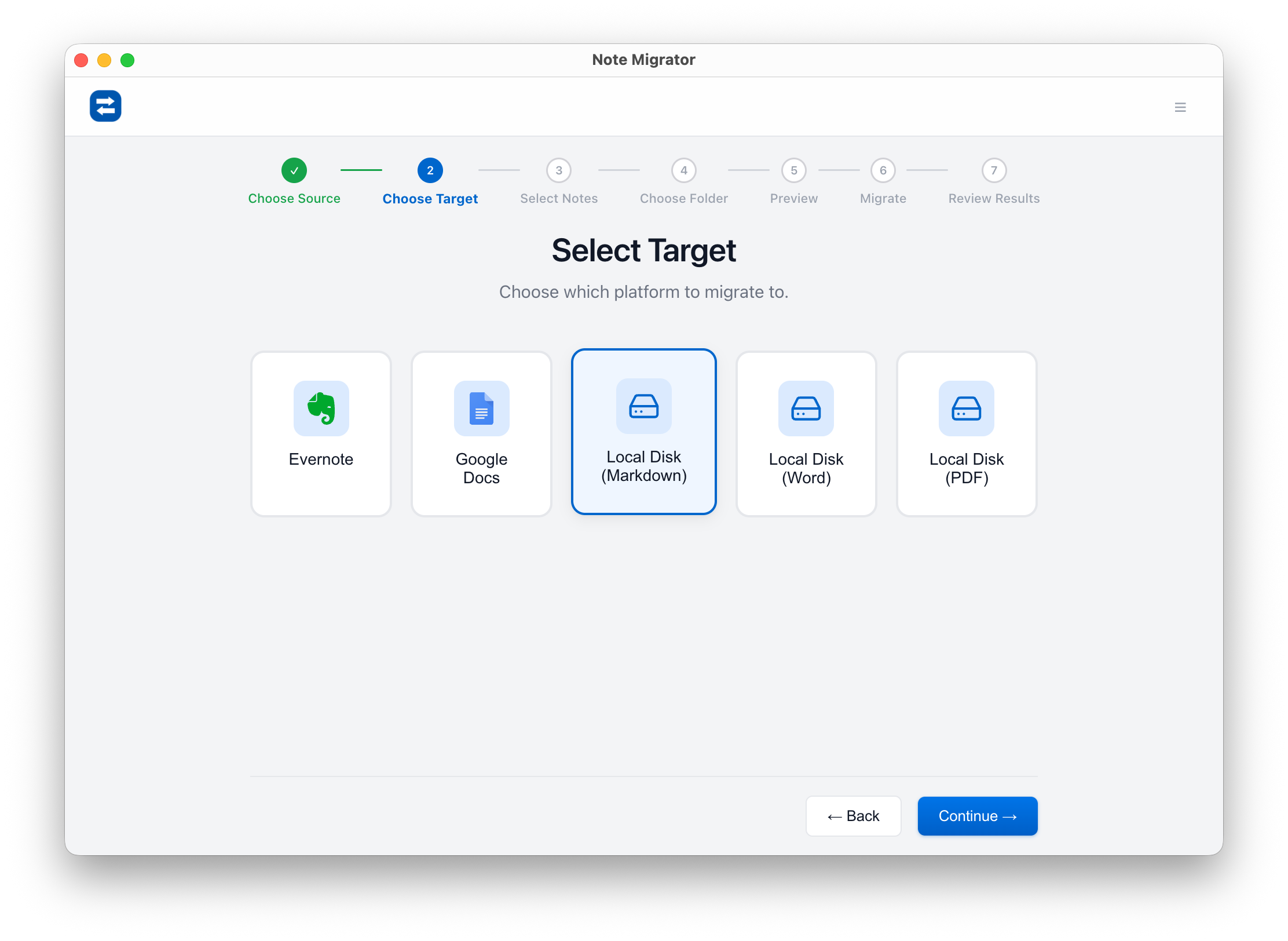
4. Choose Local Markdown as Target
Select "Local Markdown" as your migration target to download your notes.
Select Local Markdown target
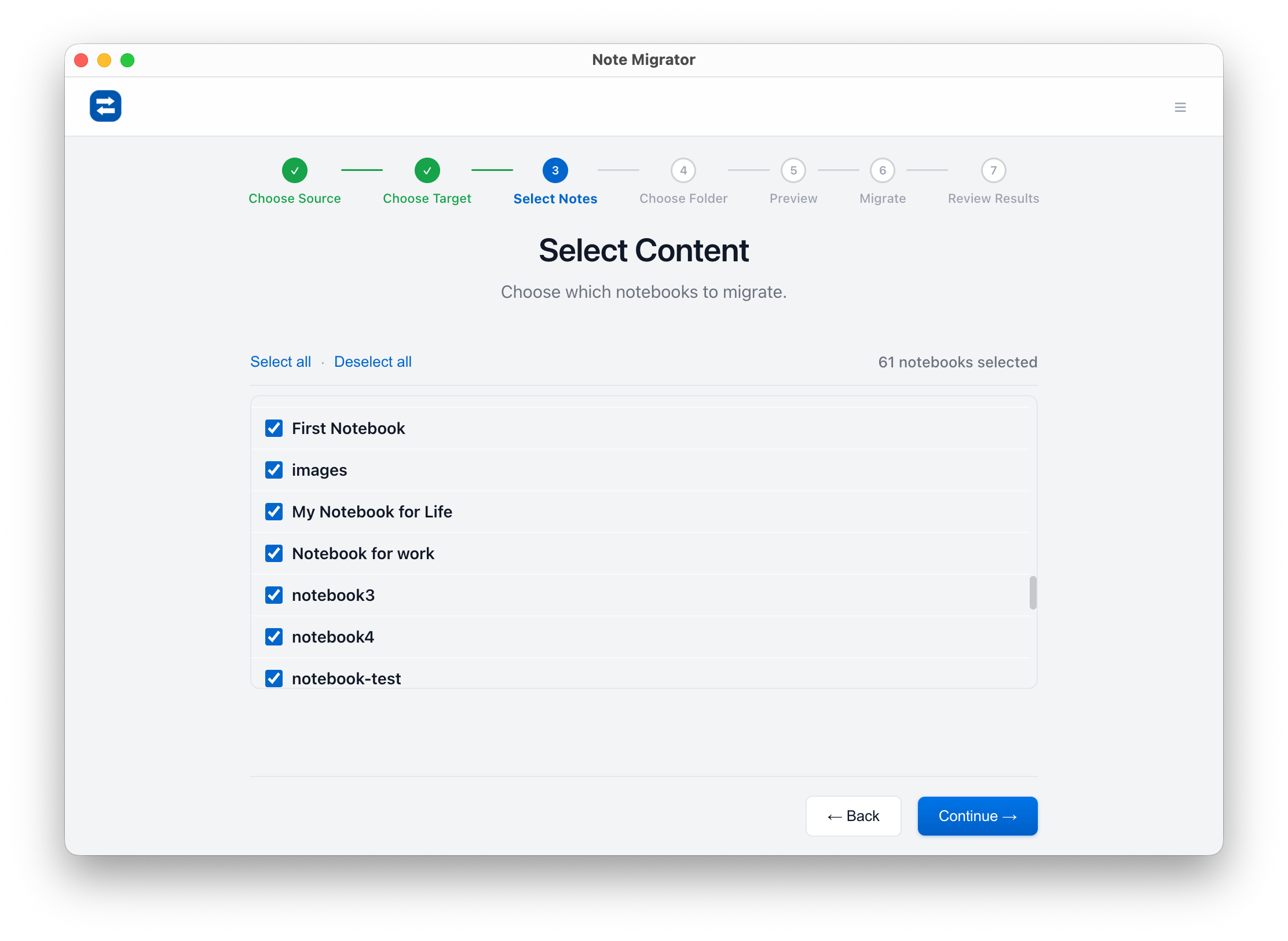
5. Select Notebooks to Export
Choose which of your Evernote notebooks you want to export.
Select Source Notebooks
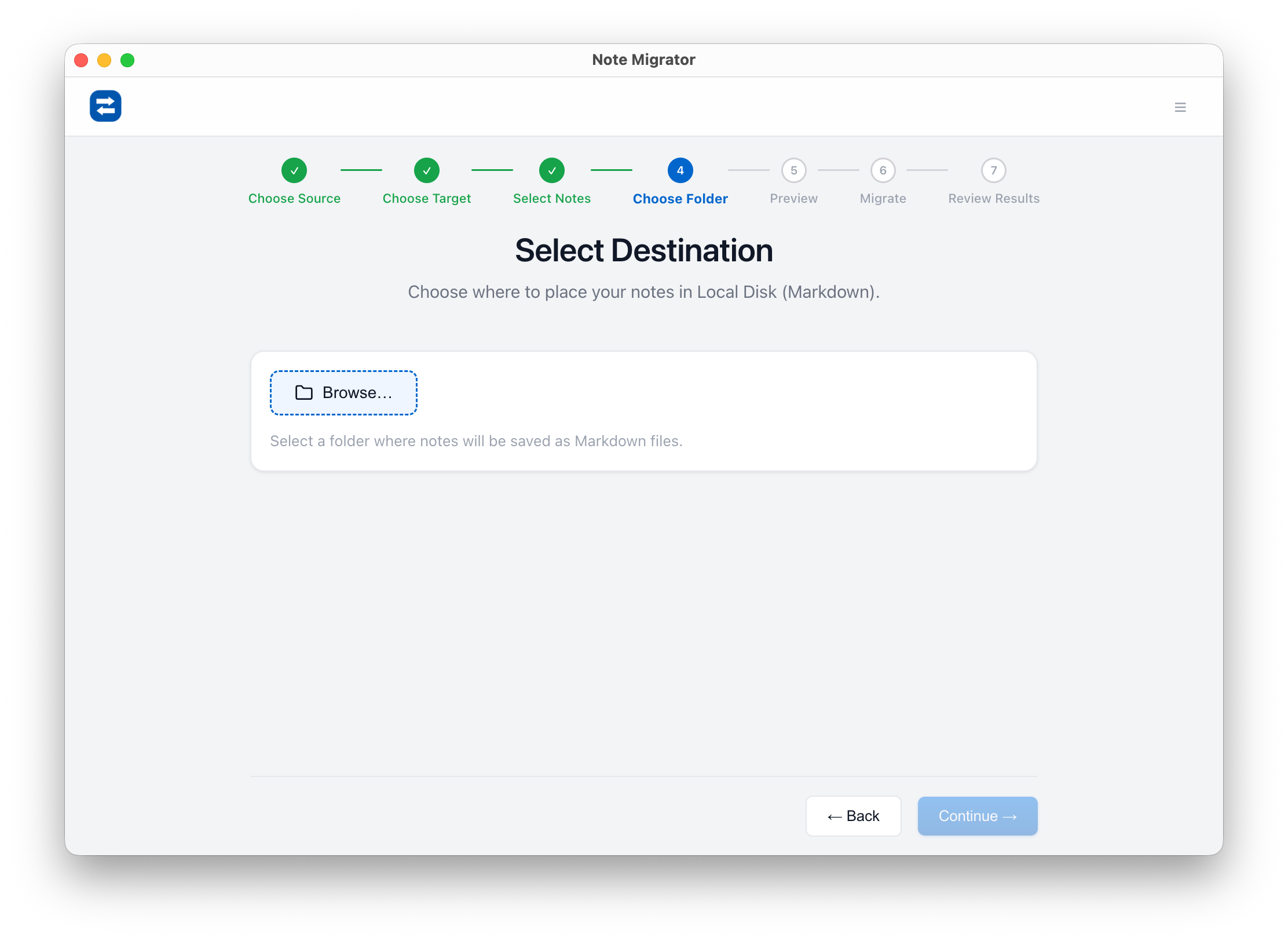
6. Choose Destination Folder
Select the folder on your local computer where you want the Markdown files to be saved.
Select Target Folder
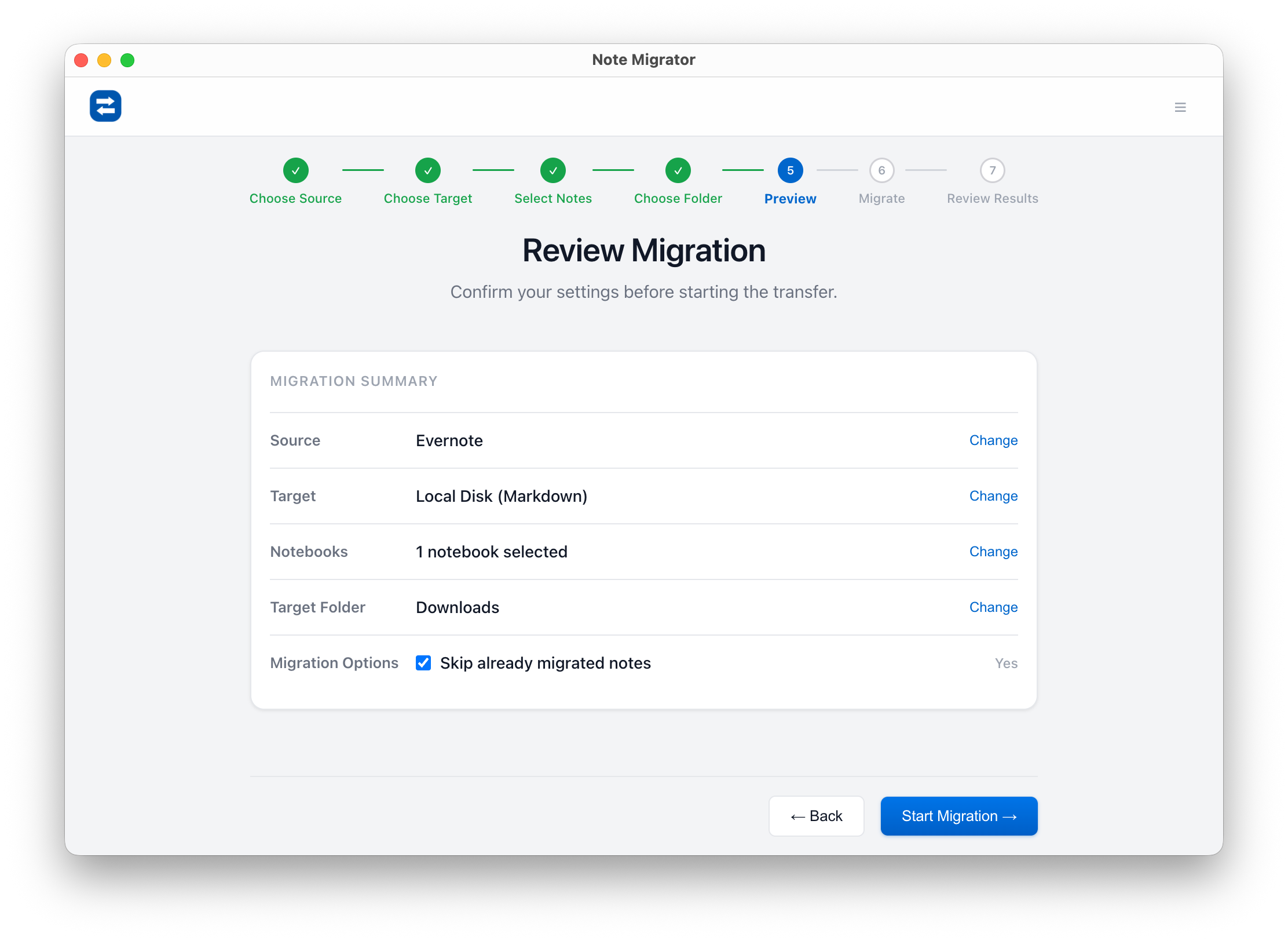
7. Review and Confirm
Review your settings before starting the export.
Review Selections
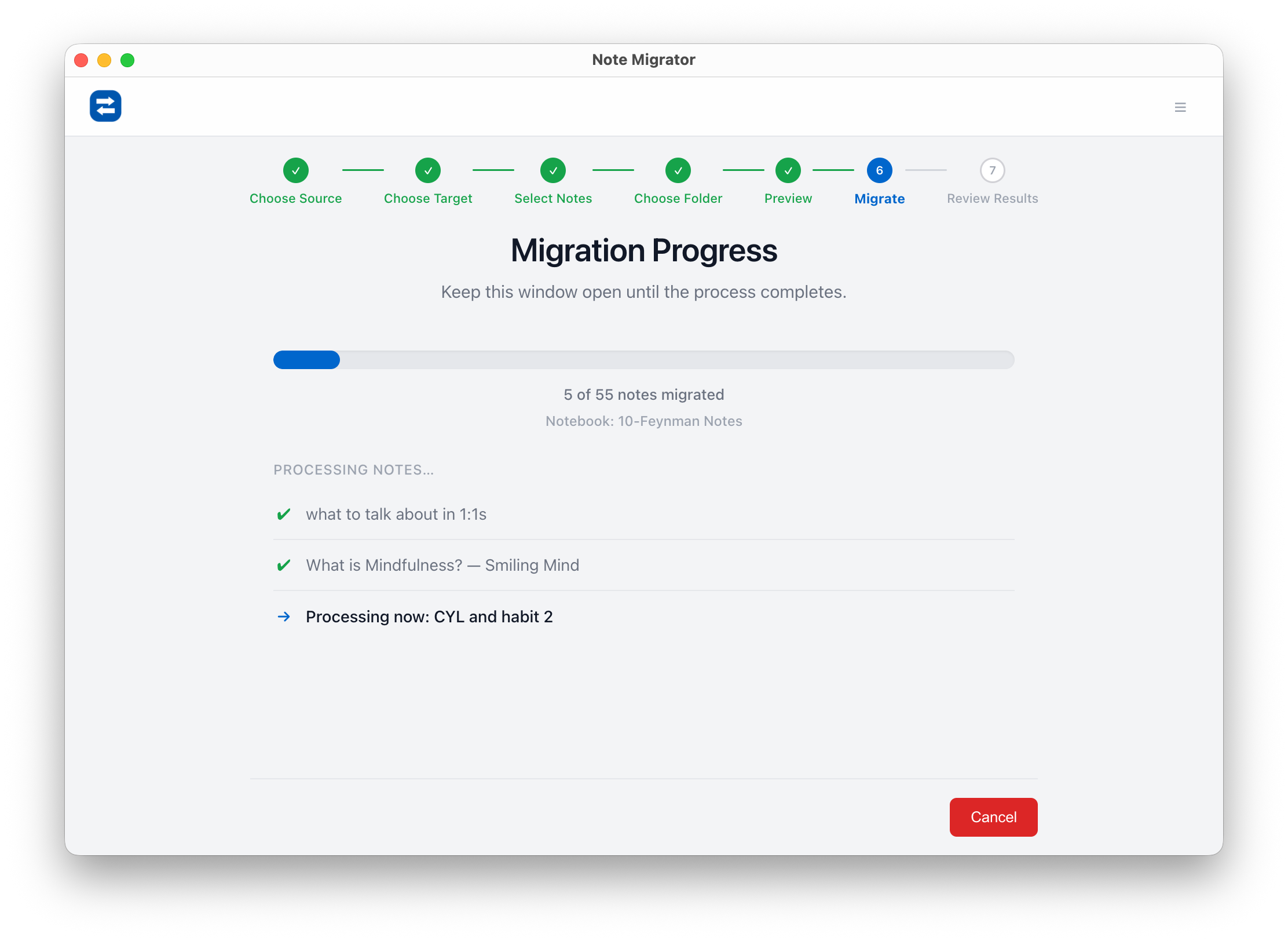
8. Run Migration
Watch the live progress as NoteMigrator converts your pages, layouts, and attachments to clean Markdown files.
Migration Progress
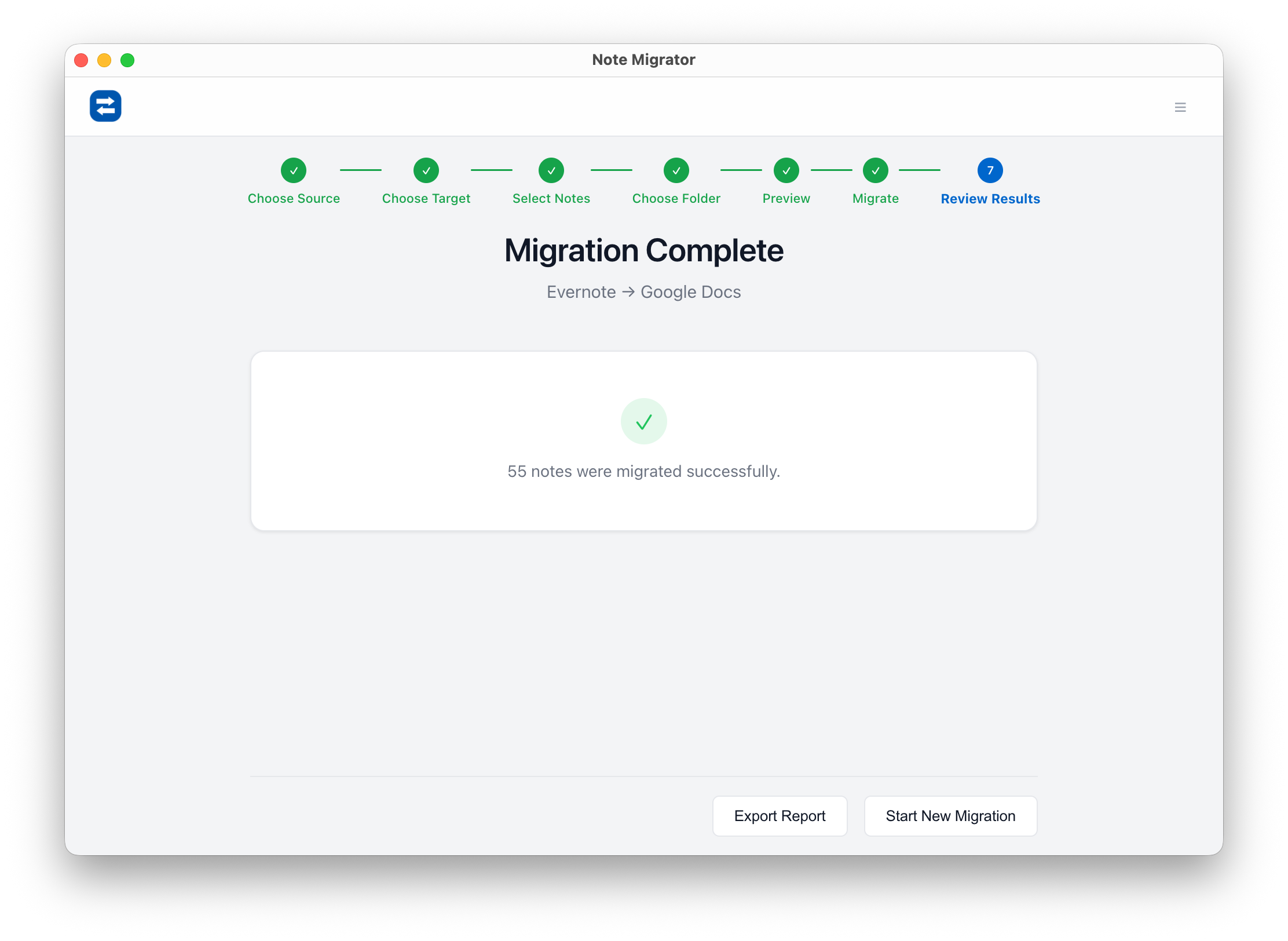
9. View Results
Once complete, review the summary showing all migrated notebooks, notes, and attachments. Your notes are now ready to open in Obsidian or any other local Markdown editor!
Review Result
“Why not just use Evernote’s built-in export?”
Evernote can export to ENEX or HTML. Both create real problems:
ENEX is an XML format almost no modern app reads natively. You still need a converter — and most converters mangle attachments, lose tags, or produce ugly Markdown.
HTML comes out bloated with inline styles and broken image paths. Cleaning it up by hand on a large library is a multi-day project.
Neither preserves notebook structure as folders by default.
NoteMigrator skips all of that. You go straight from Evernote to clean, well-organized Markdown files in one step.
What you can do the moment the export finishes
Open the folder in Obsidian and get a working second brain instantly.
Use Logseq for outliner-style daily notes on your existing archive.
Sync the folder with iCloud / Dropbox / Syncthing for free cross-device access.
Commit it to a private Git repo for versioned, searchable history.
Keep a cold backup on an external drive that no subscription can touch.
Your notes finally work for you, on your terms.
A small one-time cost vs. a forever subscription
Evernote charges you every month — forever — just to keep accessing what you already wrote. NoteMigrator is a one-time purchase. Pay once, export as many times as you want, and walk away from rented note-taking for good.
The break-even is usually less than two months of an Evernote Personal subscription. Everything after that is pure freedom.
Stop renting access to your own thoughts
Every day you wait, your archive grows and the migration feels heavier. It isn’t. With the right tool, exporting Evernote to Markdown on your local disk is a straightforward, one-time task — not a project.
Your notes deserve a permanent home that you control. Markdown gives them that home. NoteMigrator gets them there cleanly, with structure, attachments, and tags intact.
We build NoteMigrator and document note-migration workflows, destination-specific constraints, and privacy tradeoffs so readers can plan migrations with fewer surprises.
Move your notes into Microsoft Word. Learn how to convert your Evernote notebooks into local DOCX files with all formatting, tables, and attachments preserved.
Archive your notes in a standard, universally readable format. Learn how to convert your Evernote notebooks into local PDF files with all formatting, layouts, and attachments preserved.